
Target New ArrivalsHalloweenClothing, Shoes & AccessoriesHome & DecorKitchen & DiningPatio, Lawn & GardenGroceryHousehold EssentialsBabyBeautyTarget Beauty StudioPersonal CareSports & OutdoorsPetsHealthWellnessSchool & Office SuppliesToys & GamesElectronics & TechVideo GamesBooks, Music & MoviesParty SuppliesGift IdeasGift CardsShop by CommunityTarget OpticalDealsClearanceNew ArrivalsBack to SchoolCollegeTop DealsTarget Circle DealsWeekly AdShop Order PickupShop Same Day DeliveryRegistryRedCardTarget CircleFind Stores
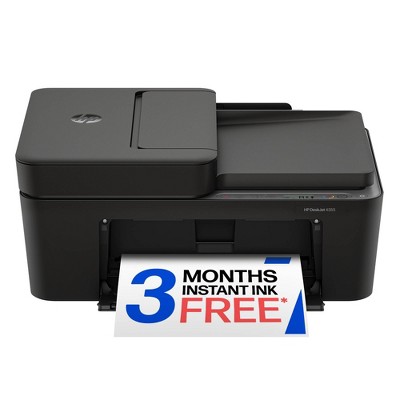
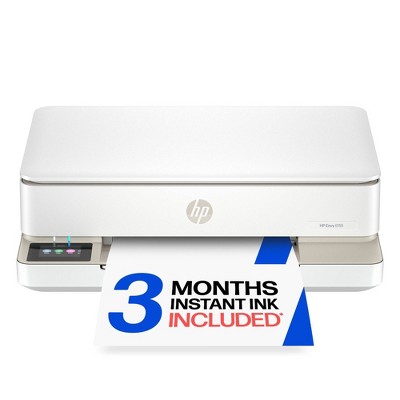
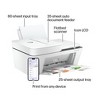
HP DeskJet 4255e Wireless All-in-One Color Printer Scanner Copier with 3 Months Free Instant Ink (588S6A) - 2 of 4HP DeskJet 4255e Wireless All-in-One Color Printer Scanner Copier with 3 Months Free Instant Ink (588S6A) - 3 of 4HP DeskJet 4255e Wireless All-in-One Color Printer Scanner Copier with 3 Months Free Instant Ink (588S6A) - 4 of 4
HP DeskJet 4255e Wireless All-in-One Color Printer Scanner Copier with 3 Months Free Instant Ink (588S6A) - 1 of 4

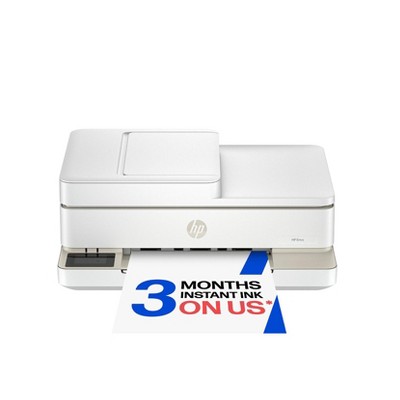
HP DeskJet 4255e Wireless All-in-One Color Printer Scanner Copier with 3 Months Free Instant Ink (588S6A)

231 Questions
$109.99

In Stock

Find alternative
Skip to next section
Eligible for registries and wish lists
Save 5% every day
With Target Circle™ Card (restrictions apply)

About this item

Highlights

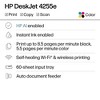
  • Best for home printing
  • Print, scan, copy and fax on the go with HP Smart app
  • 3 months of free Instant Ink included
  • Built-in wireless with single band wifi
  • Easy mobile setup
  • Print up to 8.5 pages per minute (black), 5.5 pages per minute (color)
  • 35-sheet auto document feeder
  • USB 2.0

Description

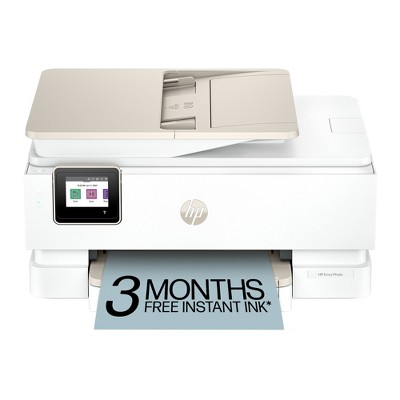
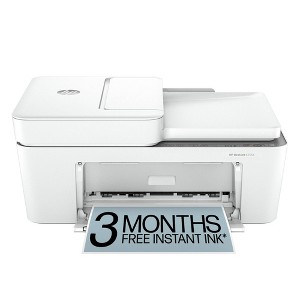
The HP DeskJet 4255e delivers color printing, 60-sheet paper capacity, and an auto document feeder for easy scanning and copying. It also includes 3 months of free Instant Ink with HP+ activation at printer setup.

FROM AMERICA'S MOST TRUSTED PRINTER BRAND: The DeskJet 4255e is perfect for homes printing to-do lists, letters, financial documents and recipes. Print speeds up to 5.5 ppm color, 8.5 ppm black.

KEY FEATURES: Color printing, copy, scan, auto document feeder, and a 60-sheet input tray

WIRELESS PRINTING: Stay connected with our most reliable Wi-Fi®, which automatically detects and resolves connection issues

HP APP: Print, scan, copy, or fax right from your smartphone with the easiest-to-use print app

3 MONTHS OF FREE INK when you activate HP+: Subscribe to Instant Ink delivery service to get ink delivered directly to your door before you run out. After 3 months, monthly fee applies unless cancelled, and you save up to 50%.

COMPACT DESIGN: Made to fit any home

ICON LCD: Print your basic documents with ease from the intuitive control panel

SUSTAINABLE DESIGN: Made with at least 60% recycled plastic

ENERGY STAR® AND EPEAT® CERTIFIED: Save energy with a printer that meets industry efficiency standards

DYNAMIC SECURITY: This printer is intended to work only with cartridges with original HP chips or circuitry and will block cartridges using non-HP chips or circuitry. Periodic firmware updates will maintain the effectiveness of these measures. More at www.hp.com/learn/ds.
Dimensions (Overall): 15.94 Inches (H) x 18.7 Inches (W) x 9.53 Inches (D)
Weight: 13.65 Pounds
B&W Print Speed: 8.5 Pages per Minute
Color Print Speed: 5.5 Pages per Minute
Electronics Condition: New
Electronics Features: Printer
Connection Type: USB
Maximum capacity: 60 Sheets
Operating System Compatibility: Microsoft Windows
Maximum Resolution: 1200 x 1200 (Black and White)
Wireless Technology: Wi-Fi
Printer Ink Color: Multiple Colors
Compatible With: Up to 8.5" x 14" Documents
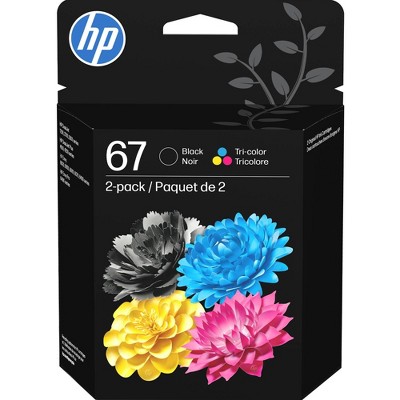
Ink Series: HP 67 series
Battery: No Battery Used
Warranty: 1 Year Limited Warranty. To obtain a copy of the manufacturer's or supplier's warranty for this item prior to purchasing the item, please call Target Guest Services at 1-800-591-3869
TCIN: 90895939
UPC: 196337380103
Item Number (DPCI): 056-03-0042
Origin: Imported
If the item details aren’t accurate or complete, we want to know about it.

Shipping details

Estimated ship dimensions: 18.6 inches length x 15.7 inches width x 9.5 inches height
Estimated ship weight: 14.25 pounds

Return details

This item can be returned to any Target store or Target.com.
This item must be returned within 30 days of the date it was purchased in store, delivered to the guest, delivered by a Shipt shopper, or picked up by the guest.
See the return policy for complete information.

Q: Is this printer an ink jet or laser printer? Can you print on vellum with this printer?

submitted by AH - 2 years ago
  • A: Does this print labels and photos

    submitted byPatrick - 6 months ago
  • A: Hi AH, thanks for reaching out about HP DeskJet 4255e Wireless All-in-One Color Printer Scanner Copier with Instant Ink and HP+. The HP DeskJet 4255e is an inkjet printer. Printing on Vellum: While inkjet printers can generally print on a variety of paper types, including vellum, there are a few things to consider: Vellum Thickness: If the vellum is too thick, it may cause paper jams. Ink Absorption: Vellum may not absorb ink as well as regular paper, which could result in smudging or bleeding. Printer Compatibility: Some inkjet printers may not be designed to handle the thickness or texture of vellum. If you have any additional questions, we welcome you to contact MyTGTtech at 833-848-8324 every day, between 7am-11pm CST.

    submitted byJoe - 2 years ago
    Target staff support
  • A: Hello and thank you for asking. The HP DeskJet 4255e printer can print on ink jet rated vellum. There’s no guarantee that the printer will print on the vellum you choose or yield satisfactory results since HP can’t test every paper on every printer. You may need to use a carrier sheet to feed the vellum. We have successfully printed on 30 lb. (44 gm2) vellum paper with an HP OfficeJet Pro printer.

    submitted byHP Team - 2 years ago
    Brand expert

Q: Can I use stencil paper on this printer? Like a thermal printer

submitted by Daved - 1 year ago
  • A: Hi Daved, thanks for reaching out about HP DeskJet 4255e Wireless All-in-One Color Printer Scanner Copier with Instant Ink and HP+ (588S6A) Stencil paper is not supported on this printer. If you have any additional questions, we welcome you to contact MyTGTtech at 833-848-8324 every day, between 7am-11pm CST.

    submitted byMike - 1 year ago
    Target expert support
  • A: Hello and thank you for asking. The HP DeskJet 4255e printer is an ink jet printer. If you wish to print on stencil paper rated for use with an ink jet printer, and the paper is within the weight range of the printer, then you can use it to print on stencil paper. Please note the DeskJet 4255e printer is not compatible with thermal paper, as it does not use heat to print on such paper. It is also not capable of making an impression on the print, such as for use with carbon paper to make multiple copies, or on most transfer paper.

    submitted byHP Team - 1 year ago
    Brand expert

Q: Is this like a dtf printer ? so that i can print and use a heat press for my t- shirts

submitted by Review - 2 years ago
  • A: Hello and thank you for asking. The HP DeskJet 4255e printer can print on iron-on transfer paper, which can then be applied to a t-shirt.

    submitted byHP Team - 2 years ago
    Brand expert
  • A: Hi Review, thanks for reaching out about HP DeskJet 4255e Wireless All-in-One Color Printer Scanner Copier with Instant Ink and HP+ (588S6A) You can use this printer to print designs for heat transfer onto shirts. Here's a summary of what you need for heat transfers with the HP DeskJet 4255e: HP DeskJet 4255e printer Inkjet heat transfer paper Heat press T-shirt or other fabric If you have any additional questions, we welcome you to contact MyTGTtech at 833-848-8324 every day, between 7am-11pm CST.

    submitted byMike - 2 years ago
    Target expert support

Q: Would I be able to print out designs and use a heat press to add it on a shirt?

submitted by Review - 2 years ago
  • A: Hi Review, thanks for reaching out about HP DeskJet 4255e Wireless All-in-One Color Printer Scanner Copier with Instant Ink and HP+ (588S6A) Yes, you can use this printer to print designs for heat transfer onto shirts.Here's a summary of what you need for heat transfers with the HP DeskJet 4255e: HP DeskJet 4255e printer Inkjet heat transfer paper Heat press T-shirt or other fabric If you have any additional questions, we welcome you to contact MyTGTtech at 833-848-8324 every day, between 7am-11pm CST.

    submitted byMike - 2 years ago
    Target expert support
  • A: Hello and thank you for asking. The HP DeskJet 4255e printer can print on iron-on transfer paper, which can then be applied to a t-shirt.

    submitted byHP Team - 2 years ago
    Brand expert

Q: can it copy more than one at a time?

submitted by misskjf - 2 years ago
  • A: Hello and thank you for asking. The HP DeskJet 4255e printer has an automatic document feeder on top of the printer that lets you copy or scan multiple page documents easily.

    submitted byHP Team - 2 years ago
    Brand expert
  • A: Hi there. Thank you for your question! The HP Deskjet 4255e does feature an auto document feeder on top which can be used to copy or scan multiple pages consecutively, automatically. The auto document feeder can hold up to 35 sheets. If your question was referring to the ability to make multiple copies of a single document, you do also have the ability to do that.

    submitted byHP Team - 2 years ago
    Brand expert

Q: Does it come with ink when you order the printer?

submitted by Mamaof4 - 2 years ago
  • A: Yes, it comes with ink.

    submitted byMomshopper - 2 years ago
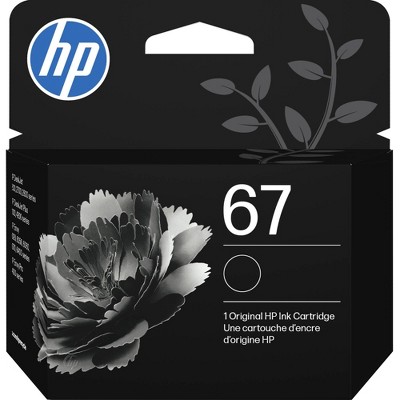
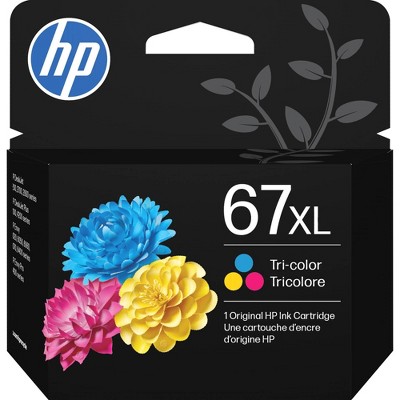
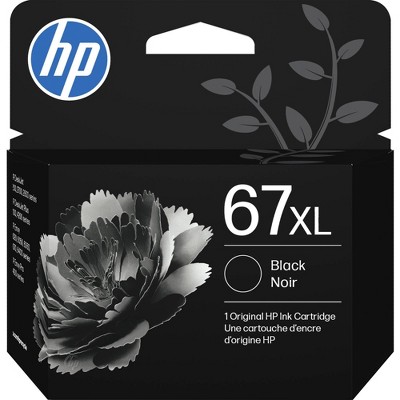
  • A: Thank you for your question. Yes, the HP Deskjet 4255e printer comes with the 67 setup ink cartridges.

    submitted byHP Team - 2 years ago
    Brand expert

Q: Does it work with Apple computers? Specifically Sonoma 14.5?

submitted by Lil Lady - 2 years ago
  • A: Hi Lil Lady, thanks for reaching out about HP DeskJet 4255e Wireless All-in-One Color Printer, Scanner, Copier - White Yes, this printer does work on Mac Operating Systems. The HP Smart printing app Requires macOS 10.14 or later. If you have any additional questions, we welcome you to contact MyTGTtech at 833-848-8324 every day, between 7am-11pm CST.

    submitted byMike - 2 years ago
    Target expert support
  • A: Hi, thanks for your question! The HP DeskJet 4255e can work with any Apple computer running MacOS Sonoma 14.5.

    submitted byHP Team - 2 years ago
    Brand expert

Q: What USB printer cable is needed?

submitted by MJ - 2 years ago
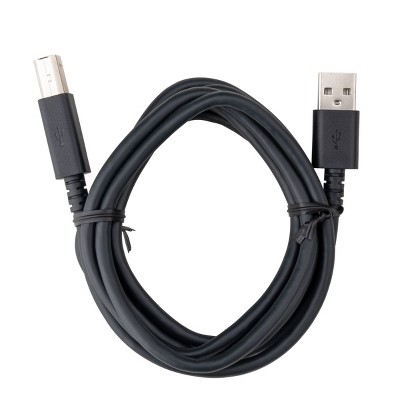
  • A: Thanks for your question. You can connect the HP DeskJet 4255e All-in-One printer to your computer with the USB A to B 2.0 cable. If you don't have one, you need to purchase one.

    submitted byHP Team - 2 years ago
    Brand expert

Q: Print double sided automatically?

submitted by Qt - 2 years ago
  • A: Hi. Thanks for your question. The Deskjet 4255e doesn't print duplex automatically. You'll need to flip each page over manually to get it to print on the back side of the paper.

    submitted byHP Team - 2 years ago
    Brand expert

Q: can it scan more than 1 page at a time

submitted by minj - 7 months ago
  • A: Hi, thank you for reaching out about HP DeskJet 4255e Wireless All-in-One Color Printer Scanner Copier with 3 Months Free Instant Ink (588S6A). Yes, the HP DeskJet 4255e can scan more than one page at a time. It features a 35-sheet Automatic Document Feeder (ADF) on top, allowing for the scanning or copying of multi-page documents automatically. If you have any additional questions, we welcome you to contact MyTGTtech at 833-848-8324 every day, between 7am-11pm CST.

    submitted byMatt - 7 months ago
    Target expert support
  • A: Yes, the HP DeskJet 4255e can scan more than one page at a time. It features a 35-sheet Automatic Document Feeder (ADF) on top, allowing for the scanning or copying of multi-page documents automatically.

    submitted byMatt - 7 months ago
    Target expert support

Additional product information and recommendations
Frequently bought together

Skip to next section

Guests also viewed
Skip to next section

Guests are saying

This printer has received mixed feedback from guests, with some praising its ease of setup and reliable performance, while others express frustration over connectivity issues and complicated app requirements. Many guests appreciate its speed and print quality for home use, making it suitable for occasional printing tasks. However, concerns about ink management and the need for constant app connectivity have been highlighted, suggesting potential drawbacks for less tech-savvy users.
    Summary created by AI from text of reviews reflecting recent feedback provided across different star ratings (includes incentivized reviews)
    3.5 out of 5 stars with 1462 reviews
    quality: 2.11 out of 5
    value: 2.14 out of 5
    30% would recommend
    192 recommendations
    5 out of 5 stars
    13 September, 2026
    originally posted on hp.com
    Image

    Love this 😀 printer!

    So glad I went with another HP desk jet. It is absolutely the best.
    Sunny
    Did you find this review helpful?
    5 out of 5 stars
    13 September, 2026
    originally posted on hp.com
    Image

    Great no complaints

    Greatful for hp. Great printer
    Katrina
    Did you find this review helpful?
    1 out of 5 stars
    12 September, 2026
    originally posted on hp.com
    Image

    (no review title)

    Most of the time we can’t get it to print from our phones
    Lisa
    Did you find this review helpful?
    1 out of 5 stars
    Thumbs down graphic, would not recommend
    11 September, 2026Verified purchase

    (no review title)

    It's a terrible printer it's a piece of garbage
    David
    quality: 1 out of 5
    value: 1 out of 5
    Did you find this review helpful?
    4 out of 5 stars
    11 September, 2026
    originally posted on hp.com
    Image

    HP Deskjet Printer is Great; Not so the free ink

    The HP Deskjet Printer works well, is easy to use and can print in color, b & w and scan. What is not so great are the restrictions of only using the Instant Ink cartridges and the constant emails on printer usage. A monthly ink fee is charged and always varies in amount. When your ink runs low you are supposed to get immediate replacement cartridges not so. I love the printer, but cancelled the instant ink option due to the hassle.
    Dr Bill
    Did you find this review helpful?
    1 out of 5 stars
    10 September, 2026
    originally posted on hp.com
    Image

    Set-up and Connectivity

    Very difficult and cumbersome set-up. After initial set-up printer seldom is readily connected and ready for use later.
    Unsatisfied
    Did you find this review helpful?
    1 out of 5 stars
    10 September, 2026
    originally posted on hp.com
    Image

    Not worth it

    I do not recommend this printer, unless you very rarely need to print. I would print, nothing would come out, and I would still get charged on the monthly subscription. I also think the monthly subscription is not worth it. Just buy the ink.
    Erin L
    Did you find this review helpful?
    3 out of 5 stars
    10 September, 2026
    originally posted on hp.com
    Image

    I don’t like being charged per page

    I’m happy with the quality of printing and scanning, but I’m approval with ink and don’t like that. The printer comes with a monthly ink bill. I don’t use nearly the amount of ink I receive and the printer just raises the monthly bill on its own. I regret having bought an HP now.
    Auntie Em
    Did you find this review helpful?
    5 out of 5 stars
    10 September, 2026
    originally posted on hp.com
    Image

    Amazing printer what we like about

    What we like about a computer is very easy to follow the instruction putting the ink in taking it out and my grandson is 9 and he loves it. I just don’t know how to re-order the free ink.
    Avery. Dockery’Finch
    Did you find this review helpful?
    4 out of 5 stars
    9 September, 2026
    originally posted on hp.com
    Image

    Good Printer

    I like the quality of this printer and it does the job well. It was a little tricky to connect to my new laptop but it turned out to be okay once I figured out the issue I was having.
    Arsenal E
    Did you find this review helpful?
    1 out of 5 stars
    8 September, 2026
    originally posted on hp.com
    Image

    (no review title)

    always shuts down and gets stuck in the middle of printing. very dissapointed.
    David R
    Did you find this review helpful?
    5 out of 5 stars
    8 September, 2026
    originally posted on hp.com
    Image

    Great Printer!

    I love the quality of the print and ease of set up and printing!
    Grace
    Did you find this review helpful?
    5 out of 5 stars
    8 September, 2026
    originally posted on hp.com
    Image

    Very responsive and great for small space

    Great deal for at least small projects and making copies I only use HP printer s so the extra free ink is appreciated
    JiffyLu
    Did you find this review helpful?
    1 out of 5 stars
    8 September, 2026
    originally posted on hp.com
    Image

    Not Happy

    I am not happy with the way the ink free and discounted prices works. I received 1 cartridge set, have been out of ink, and had to pay some based on pages. Now, I have unregistered from the ink program and I can't use my printer because you want me to get more ink. Please take me off of this and let me use my printer. I don't recall the purchase date. Take me off of whatever you have so I can use my printer. Thank you
    NOT HAPPY
    Did you find this review helpful?
    5 out of 5 stars
    8 September, 2026
    originally posted on hp.com
    Image

    HP Printer Review

    I have enjoyed having easy access to my HP printer. The set up was easy and has been working well thus far. If you are in need of a printer I highly recommend.
    Amy F
    Did you find this review helpful?
    1 out of 5 stars
    8 September, 2026
    originally posted on hp.com
    Image

    Difficult

    I purchased this printer and have struggled to set it up. I cannot get it to connect with my computer. I regret the purchase!
    Crystal
    Did you find this review helpful?
    4 out of 5 stars
    8 September, 2026
    originally posted on hp.com
    Image

    New to HP printer

    The printing is good and the color comes out great My only issue is sometimes I have to reprint things cause it doesn't print right the first time even with the paper being a line correctly New to HP printer You got any
    QueenBee
    Did you find this review helpful?
    3 out of 5 stars
    8 September, 2026
    originally posted on hp.com
    Image

    Printer 4200 deakjet

    It’s sets up pretty easily. Don’t like how you can only use HP ink. Disconnects from internet often so always having to reset the WiFi connection.
    JJ
    Did you find this review helpful?
    5 out of 5 stars
    8 September, 2026
    originally posted on hp.com
    Image

    From box to printing in seconds

    Anyone can set the printer up and be printing in a very few minutes.
    Pete
    Did you find this review helpful?
    5 out of 5 stars
    8 September, 2026
    originally posted on hp.com
    Image

    Good printer!

    I like that it’s easy to use!
    Kim
    Did you find this review helpful?

    Get top deals, latest trends, and more.